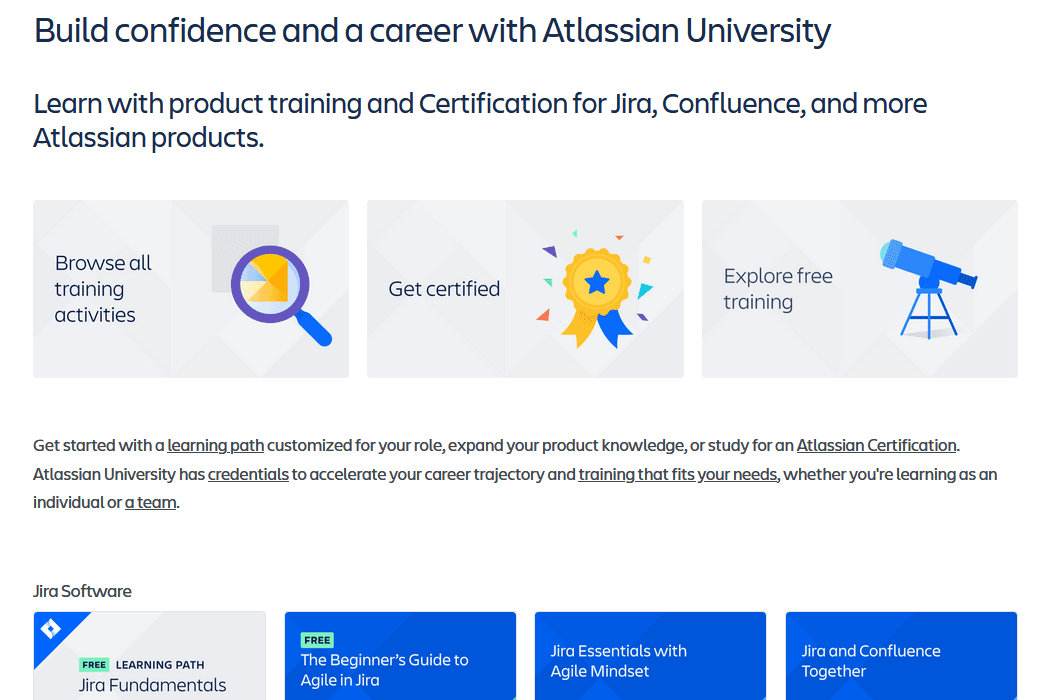
In 2015, working at Adaptavist as an Atlassian partner, I contributed to the on-demand training courses for Atlassian University covering JIRA Essentials, JIRA Agile, and Workflows. I advised Atlassian on curriculum content, designed slides, recorded video narration, and delivered the finished recordings back to Atlassian so they could load them into their LMS. My colleague Ryan Spilken and I were the voices of Atlassian University for these courses – together we turned complex technical tools into structured learning experiences that thousands of Atlassian users accessed as part of the university's catalog. The challenge wasn't knowing Jira and Confluence – it was figuring out how to teach it through a screen without losing the human connection that makes live training work.
From Live Atlassian University Trainer to Video Course Contributor
I started this work as an Atlassian University Trainer at Adaptavist, delivering courses both live in the classroom and live over the internet. What we were building in this project was Atlassian's first on-demand e-learning videos. They had the live remote training for a while, and now we were going to turn that into on-demand content. What I learned from delivering live – both in-person and remote – directly informed what we built for the on-demand training.
Video doesn't give you any of the advantages of live training. You're recording into a void, hoping your pacing and explanations work for someone you'll never meet. The transition from live to recorded training forced me to rethink how I structured content, how I explained concepts, and how I anticipated the questions learners would have at each point.
The courses I contributed to – JIRA Essentials, JIRA Agile, JIRA Administration, and Workflows – each served a different audience and skill level. Essentials targeted brand-new Jira users who needed to understand the basics. Agile covered how Scrum and Kanban boards worked in Jira Software. Workflows went deep into the configuration and customization that administrators needed to build automated business processes.
Turning Complex Jira Concepts into Clear Video Training
The hardest part of creating technical training videos isn't the recording. It's the instructional design that happens before you hit record.
Something worth noting here: Adaptavist was Atlassian's preferred training partner. Atlassian University would provide the training curriculum and slides to partners, and then partners would deliver the training. Because of my deep experience with the Atlassian tools, I always had more to add that went beyond the slides. I would share stories and examples from real client work and go deeper into topics I knew were really important.
At the time, Atlassian's instructional designers were people they'd hired from Oracle who had never fully learned the Atlassian products. They tended to focus on the wrong things or stay really shallow. Adaptavist knew the tools so well that we were able to augment and go off-book – and that became especially valuable for the recorded training, where we could add that extra depth permanently.
Jira is a tool with enormous depth. Permissions alone could fill a multi-hour course. Workflows have conditions, validators, post functions, triggers, and transitions that interact in ways that surprise even experienced administrators. The temptation is to be comprehensive – to cover every option, every checkbox, every edge case.
That temptation produces terrible training.
Good training is about choices. What do learners need to know right now? What can they look up later in documentation? What's the conceptual framework that lets them solve problems they haven't encountered yet? I built each course around decision-making rather than feature-touring. Instead of "here's the Permissions screen and here are all the options," the approach was "here's the problem you're trying to solve, and here's how permissions help you solve it."
For JIRA Essentials, this meant grounding every feature in a common workplace scenario. Creating an issue isn't about clicking New – it's about capturing work so your team can track it. Searching with JQL isn't about query syntax – it's about finding the information you need to make decisions. The features were the same, but the framing changed everything about how learners connected with the material.
For the Agile course, I had to address a dual-knowledge gap. Many learners didn't fully understand agile methodologies and also didn't know how Jira Software implemented them. Teaching the tool without the methodology produces people who can click buttons but can't make good decisions about board configuration. Teaching the methodology without the tool produces people who understand Scrum theory but can't actually set up a sprint. The course had to weave both threads together.
The Workflows course was the most technically demanding to produce. Workflow configuration in Jira involves abstract concepts – transition properties, condition logic, post function ordering – that don't have obvious visual representations. I spent significant time developing screen recordings that showed the cause-and-effect relationships between workflow configuration and end-user experience. "When you set this condition, here's what the user sees. When you add this post function, here's what changes automatically."
Video Production with Camtasia: Technical and Creative Decisions
I used Camtasia for recording and editing, which was the standard tool for screen-based training at the time. The production process involved more creative decision-making than most people expect from technical screencasts.
Pacing was the biggest challenge. In live training, you can pause for questions. In video, dead air feels awkward and excessive speed leaves learners behind. I aimed for a pace that felt conversational – like explaining something to a colleague at their desk – rather than the rapid-fire delivery some technical trainers default to.
Audio quality mattered more than video quality. A slightly fuzzy screen recording with clear, confident narration works. A crystal-clear screen recording with mumbled or hesitant audio doesn't. I invested time in getting the narration right, often recording multiple takes of sections that needed to sound natural rather than scripted.
I also made deliberate choices about what to show on screen versus what to describe verbally. Not every click needs to be visible. Sometimes the most effective approach is to show the before state, describe the configuration changes, and then show the after state. Watching someone click through seven menus in real time teaches patience, not Jira.
Annotations and callouts helped direct attention to the right part of the screen. Jira's interface is visually busy, and a learner watching a video doesn't have the benefit of the instructor pointing at their screen. Strategic use of zoom, highlights, and text overlays kept learners focused on what mattered in each moment.
Connecting Jira Features to Real Business Problems
One principle guided every course: features don't matter, outcomes do. Nobody opens Jira because they want to interact with a software interface. They open it because they have work to track, decisions to make, or information to find. One of the phrases I often used in training was that we didn't just train people on what the button did when they clicked it, but why they should click it and who they should talk to before they click it. There was an element of identifying stakeholders and thinking deeply about everyone who would be impacted by configuration changes, workflow design, and other decisions.
This sounds basic. In practice, it requires constant discipline. It's easy to slip into product-tour mode where you're describing what a feature does rather than why someone would use it. Every time I caught myself explaining a feature in isolation, I stepped back and connected it to a business scenario.
For example, custom fields in Jira aren't interesting on their own. They're interesting because a marketing team needs to track campaign names, or a QA team needs to categorize defect types, or a finance team needs to link issues to budget codes. Teaching custom fields through those lenses gives learners the conceptual model they need to create their own custom fields for their own scenarios. Teaching custom fields as "go to this admin screen and click Add" gives them a procedure they'll forget in a week.
This approach also helped with the different learning styles challenge. Some learners are conceptual – they want to understand the "why" before the "how." Others are procedural – they want the steps first and the rationale second. By consistently pairing business context with technical procedure, each course served both groups without having to create separate tracks.
Partnering with Ryan Spilken on Recording and Delivery
Ryan Spilken and I split the recording work across the courses. We'd worked together at Missouri State University before I recruited him to Adaptavist, so we already had a strong working relationship. I took the lead role on the project – advising Atlassian on what should be in the courses, reviewing content, giving feedback, and coordinating the overall effort – while Ryan and I each recorded portions of the video narration.
Teaching is personal. Every instructor has their own style, pacing, and way of explaining concepts. Working with another voice on the same course catalog isn't about imposing your style – it's about ensuring the learner experience is consistent while letting each person's personality come through. The courses needed to feel like they belonged to the same program without sounding like the same person recorded them all.
Working closely with Ryan reinforced something about collaborative training production: the quality of a training program depends on clear standards, concrete feedback, and enough creative freedom for each instructor to be authentic. Too much structure produces robotic delivery. Too little produces inconsistent quality. Having a partner I trusted made it possible to divide the workload without sacrificing consistency.
How These Courses Became Part of Atlassian University's On-Demand Catalog
The courses Ryan and I contributed to became core offerings in Atlassian University's on-demand training catalog. We delivered the finished recordings back to Atlassian, who loaded them into their LMS. They served as the self-paced alternative to live instructor-led sessions, giving users a way to learn on their own schedule at their own pace.
This mattered for Atlassian's training business because on-demand scales in ways that live training can't. A live course needs an instructor, a scheduled time, and a limited number of seats. A recorded course serves its thousandth learner at the same cost as its first. The initial production investment is higher, but the marginal cost of each additional learner approaches zero.
The courses also served as preparation material for the certification program I later built. Learners could work through the on-demand training, practice in their own Jira instances, and then sit for the certification exam with a solid foundation. This created a natural learning path from training through credentialing.
Lessons from Contributing to Technical Training Video Courses
The transition from live to recorded training isn't just a format change – it's a design change. Every advantage of live training (reading the audience, answering questions, adjusting pace) has to be replaced with deliberate instructional design choices in video. You can't wing recorded training the way an experienced instructor might wing a live session.
Connecting features to business outcomes is the single biggest factor in training effectiveness. Learners retain information that solves their problems. They forget information that's presented as abstract product knowledge. Every module, every lesson, every screen recording should answer the question: "Why does this matter to the person watching?"
Audio quality and pacing matter more than production polish. A conversational, well-paced narration with clear audio beats a heavily produced video with awkward delivery. Learners are there for the knowledge, and the narration is how they receive it.
FAQ
What courses did you contribute to for Atlassian University's on-demand program?
Working at Adaptavist as an Atlassian partner, I contributed to four core courses: JIRA Essentials (for new Jira users), JIRA Agile (covering Scrum and Kanban board configuration in Jira Software), JIRA Administration (for system administrators managing Jira instances), and Workflows (deep technical training on workflow configuration and automation). I advised on curriculum content, designed slides, and recorded video narration alongside my colleague Ryan Spilken. We delivered the recordings to Atlassian for their LMS. Each course was designed around real business scenarios rather than feature tours.
How do you make technical training videos engaging for different skill levels?
The key is connecting every feature to a business outcome rather than presenting features in isolation. By pairing "why you'd use this" with "here's how to do it," the content works for conceptual learners who need the reasoning first and procedural learners who want the steps. Pacing, clear audio, and strategic screen annotations also help maintain engagement across skill levels.
What tools and methods were used to produce the Atlassian training videos?
I used Camtasia for screen recording and editing, with a focus on conversational narration pacing and strategic use of annotations to guide learner attention. The instructional design was grounded in connecting features to real business problems rather than comprehensive feature documentation, and each course was structured around the tasks learners would actually perform in their roles. The finished recordings were delivered to Atlassian for loading into their LMS.
Related Case Studies
- Building Atlassian's Global Certification Program – The certification exams that these training courses helped learners prepare for.
- Learn for Jira: Building In-App Training from Concept to Sunset – A different approach to Jira training that delivered instruction directly inside the application.
- The Atlassian Ecosystem Podcast – Extending Atlassian product education into the podcast format.