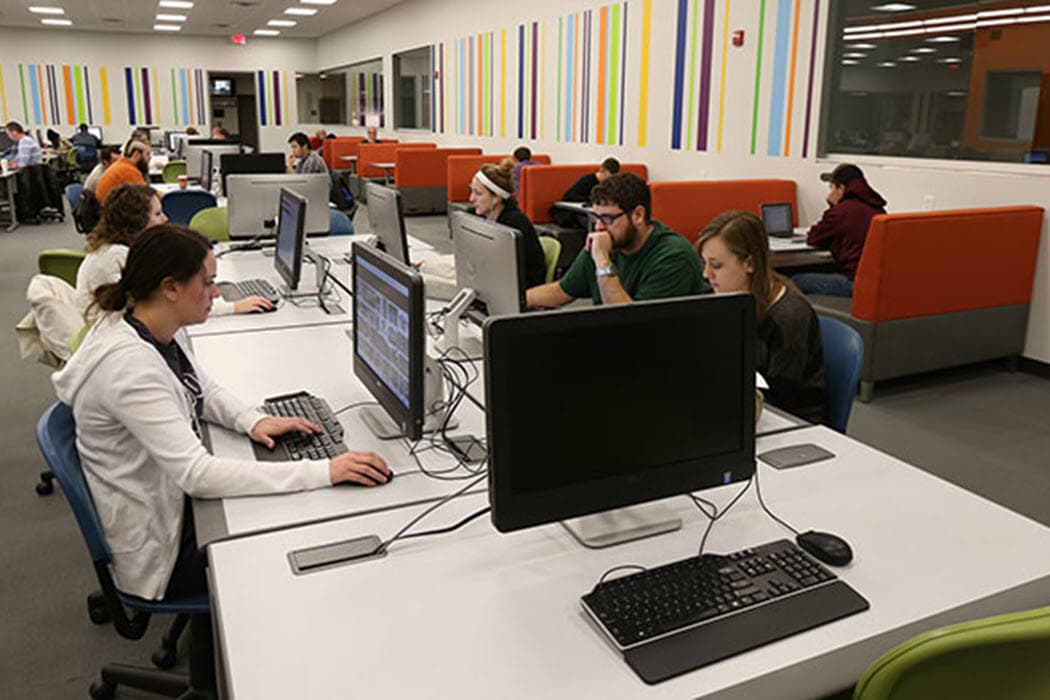
From 2010 to 2014, I worked on two related but distinct challenges at Missouri State University. The first was managing a fleet of 6,000 computers spread across 80 buildings – deploying SCCM, WSUS, and Symantec antivirus for automated software distribution and endpoint management. The second was transforming how we ran the university's open access computer labs. The fleet management systems made campus-wide operations that once took months achievable from a single office. The lab improvements saved 3,000 person-hours annually, freeing staff to build better services for students. Together, they turned a reactive break-fix operation into a proactive management system.
The Scale of Managing 6,000 Campus Computers Across 80 Buildings
Numbers help frame the challenge. Six thousand computers. Eighty buildings. Labs, classrooms, offices, libraries, administrative areas. Windows desktops and laptops running different hardware configurations, different software loads, and different usage patterns depending on whether they sat in an art studio, a chemistry lab, or an accounting office.
Before automation, "managing" this fleet meant a small team of technicians physically visiting machines. Imaging a computer through Symantec Ghost meant applying a full machine image every time – we could net boot and deploy over the network, but Ghost didn't let us update one application at a time. If we needed to change one piece of software, we had to reimage the whole machine, which took significantly longer than it should have. Windows updates happened inconsistently – some machines were months behind on patches. Software installations were manual and error-prone.
The time costs were staggering. Early on, when we needed to make a campus-wide change – updating antivirus definitions, pushing a new software version, or applying a security patch to every machine – the team had to manually touch every computer. A single campus-wide change could take roughly nine months with a large staff. Once SCCM, WSUS, and the other management tools were in place, I could run the same operation from my office and it would be done. The hours saved by the fleet management systems are kind of incalculable.
Transitioning from Symantec Ghost to Windows Deployment Services
The first major change was replacing Symantec Ghost with Windows Deployment Services (WDS) for operating system imaging. Ghost had served the university for years, but its all-or-nothing imaging approach was inefficient – every change required a full reimage. WDS gave us more flexibility in how we deployed and maintained images across the fleet.
The transition wasn't instant. We had to build and test images for different hardware models and departmental configurations. Some older machines didn't support PXE boot reliably. The network infrastructure in a few buildings needed upgrades to handle the bandwidth of pushing multi-gigabyte images.
But once WDS was operational, the efficiency gains were immediate. A technician could kick off an image deployment from a central console. Multiple machines could be imaged simultaneously. The per-machine time dropped dramatically, and the error rate – corrupted images, wrong configurations – dropped with it.
This was the first step in a progression from manual to automated, and it set the foundation for everything that followed.
Deploying WSUS for Centralized Windows Update Management
Windows updates on 6,000 unmanaged computers were a security and operational nightmare. Without centralized control, each machine downloaded updates independently (consuming bandwidth), installed them on its own schedule (or didn't), and rebooted at inconvenient times (or never).
The result was a fleet with wildly inconsistent patch levels. Some machines were current. Some were months behind. A few had updates disabled entirely because a frustrated user or technician had turned them off to stop the nagging reboot prompts. From a security perspective, this was untenable.
Windows Server Update Services (WSUS) gave us centralized control. We could approve updates for specific groups of computers, schedule installation windows that didn't disrupt classes, and monitor compliance across the entire fleet. Machines that fell behind on patches showed up in reports, so we could target them for attention.
WSUS wasn't a cure-all. It handled Windows and Microsoft product updates well but didn't cover third-party software. It required ongoing maintenance – someone had to review and approve updates, manage the WSUS database, and troubleshoot machines that failed to report in. But compared to 6,000 machines updating themselves independently, it was a transformation in both security posture and administrative control.
SCCM Deployment for Software Distribution and Endpoint Management
Microsoft System Center Configuration Manager (SCCM) was the centerpiece of the fleet management overhaul. Where WDS handled imaging and WSUS handled updates, SCCM handled nearly everything else: software distribution, inventory, compliance reporting, and remote management.
Deploying SCCM to 6,000 endpoints across 80 buildings was not a weekend project. It required careful planning of the site hierarchy, distribution point placement (to avoid saturating network links between buildings), and client deployment strategy. We rolled it out in phases, starting with the most manageable buildings and expanding as we refined our processes.
Once deployed, SCCM changed what was possible. Need to install a new version of Adobe Acrobat on every lab computer? Create a package, target the collection, and let SCCM handle the distribution. Need to know how many machines are running an outdated version of Java? Run a report. Need to push a critical security patch to every machine within 24 hours? Schedule the deployment.
The near-100% software deployment success rate was a direct result of SCCM's retry logic, prerequisite checking, and reporting. In the manual era, a software rollout to 6,000 machines might hit 80-85% on a good day, with the remaining 15-20% requiring manual follow-up. SCCM got us to the high 90s consistently, and the failures it did report were trackable and fixable.
Implementing Faronics Deep Freeze for Lab Computer Protection
Public computer labs are hostile environments for Windows machines. Students install unauthorized software, change system settings, download malware, and occasionally delete things they shouldn't. In a lab with 50 computers used by hundreds of students per day, the machines degrade quickly.
Faronics Deep Freeze solved this by freezing the system state. Every time a computer restarted, it reverted to its frozen baseline – any changes made during the session disappeared. Students could do whatever they wanted during their session, and the machine would be clean for the next user.
This had a dramatic impact on reimaging frequency. Before Deep Freeze, lab computers might need reimaging monthly – sometimes more often in high-traffic labs. After Deep Freeze, reimaging was only necessary when we intentionally updated the baseline image (new software versions, OS updates, configuration changes). That's where the 80% reduction in reimaging frequency came from.
The tradeoff was that any intentional change required a maintenance window: thaw the machines, apply changes, refreeze. We scheduled these during low-usage periods and automated as much as possible through SCCM. It added a step to our workflow, but the time saved on reactive reimaging far outweighed it.
PaperCut Integration for Campus Print Management
Print management intersected with fleet management because every managed computer was a potential print client. We deployed PaperCut to handle print accounting, quotas, and routing across the campus fleet.
PaperCut's client software deployed through SCCM – another example of how the fleet management infrastructure enabled other IT initiatives. Without SCCM, deploying print management software to 6,000 machines would have been its own multi-month project. With SCCM, it was a package deployment that rolled out across campus in days.
The print management system also generated data that informed fleet management decisions. Usage patterns helped us identify labs that needed more (or fewer) printers, machines with driver issues, and buildings where printing problems correlated with other endpoint management challenges.
Open Access Computer Labs: 3,000 Person-Hours Saved Annually
The fleet management systems transformed how we handled the 6,000-machine campus fleet, but the measurable time savings came specifically from the open access computer labs.
When I started, the university had four open access labs with roughly 300 computers, open 24 hours a day, 6 days a week. Every lab was running a unique image built by its own lab supervisor, which I thought was nonsense. I put one person in charge and standardized all labs to the same image. That alone freed up a significant amount of staff time. From there, I drove further improvements – deploying Deep Freeze, automating imaging, streamlining maintenance workflows, and reducing the manual labor required to keep the labs running.
Those lab improvements saved 3,000 person-hours of staff time annually. That number comes from comparing the time spent on lab management tasks before and after the improvements: manual reimaging, troubleshooting degraded machines, handling unauthorized software installations, and reactive break-fix work.
Those 3,000 hours didn't disappear. They were redirected into building better services for students. The staff time we freed up let us improve the lab experience, expand what we offered, and provide more value to the campus community. That mattered because it helped secure continued funding at a time when other departments were seeing their budgets reduced. When you're saving time and delivering more, the funding conversation is a lot easier.
The broader fleet management systems – SCCM, WSUS, Symantec, application distribution – saved enormous time across the full 6,000-machine fleet as well, but those savings are harder to quantify precisely. Going from nine months to push a campus-wide change down to running it from one office represents a transformation in capability, not just an efficiency gain.
Establishing Missouri State as a Leader in Enterprise IT Management
By 2014, Missouri State's fleet management operation had become a reference point for other universities evaluating similar transformations. The combination of tools, processes, and results attracted attention from peer institutions and vendors.
That recognition wasn't something I set out to achieve, and I want to be honest about the context: we were solving the same problems every large university faced, using tools that were commercially available to anyone. What set the project apart was the willingness to invest in the full stack – imaging, patching, distribution, protection, and print management – rather than implementing one piece and hoping it was enough.
The lesson I took away from this project is that fleet management at scale requires a systems approach. Individual tools solve individual problems. But the real gains come from integrating them into a coherent management framework where each component reinforces the others. SCCM deployed Deep Freeze. WSUS patched the machines SCCM inventoried. WDS imaged the machines that Deep Freeze protected. Each tool was more effective because the others existed.
Frequently Asked Questions
How long did it take to deploy SCCM across 6,000 university computers?
The full deployment took about a year, phased across buildings and departments. The initial infrastructure setup – site servers, distribution points, database configuration – took a few weeks. Client deployment then rolled out building by building, starting with the most straightforward environments (standard labs) and progressing to more complex ones (specialized departmental machines with unique software requirements). Doing all the up-front definition work and building everything out before we started rolling it out across campus took a really long time. We were managing the full fleet within about a year.
Why use multiple tools (SCCM, WSUS, Deep Freeze) instead of consolidating into one platform?
Each tool excelled at a specific function. SCCM was strongest at software distribution and inventory. WSUS provided granular Windows update control with lower overhead than running all updates through SCCM. Deep Freeze solved a problem (session-based machine protection) that neither SCCM nor WSUS addressed. The integration between them was tight enough that managing multiple tools was less overhead than trying to force one platform to do everything.
What was the biggest challenge in automating fleet management for 80 buildings?
Network infrastructure. Pushing multi-gigabyte images and software packages to thousands of machines requires reliable, sufficient bandwidth. Some older buildings had network equipment that couldn't handle the load, and upgrading that infrastructure was a prerequisite for the automation tools to work effectively. The software was the visible layer, but the network was the foundation that made it all possible.
Related Case Studies
- Standardizing University Print Infrastructure for 30% Cost Savings – The print standardization project that complemented fleet management at Missouri State.
- Sungard Banner ERP Implementation at Missouri State University – Another large-scale institutional technology project requiring cross-departmental coordination.
- University Domain Migration: Moving 900 Computers During a Rebrand – An earlier campus-wide computer management project that preceded the fleet automation work.