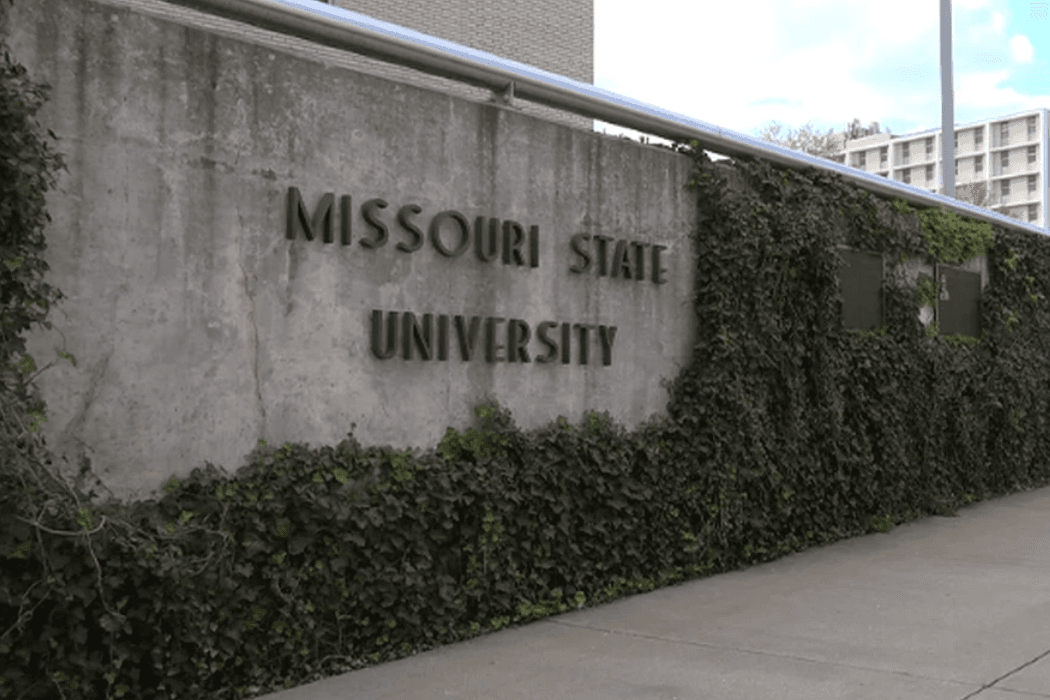
In 2005, Southwest Missouri State University officially became Missouri State University. Along with new signage, stationery, and a website, that rebrand meant changing the Windows domain for every campus computer – and doing it without losing anyone's personalized settings, documents, or workflows. I was the senior student analyst in the Computer Services Help Desk at the time – the leader of the student workers – and I developed the migration process that was used for all 6,000+ machines campus-wide. My team in centralized user support was responsible for 900 of those machines directly. I developed a streamlined migration process that cut per-machine migration time by 66%, deployed mixed teams of staff and student workers, and completed the project ahead of schedule. Every machine migrated successfully. Users noticed only that their login name changed.
Every academic department had its own distributed user support staff, so while the campus had over 6,000 machines total, centralized support was responsible for 900. I built the process that the full-time staff used because they hadn't been able to figure out how to run this – I didn't get hired full-time until 2007. The operational challenge was real: how do you touch 900 machines across a campus with no remote management tools and no tolerance for user disruption?
What a University Rebrand Means for Windows Domain Infrastructure
When most people think about a university rebrand, they think about the logo. Maybe the website. The part they don't think about is the infrastructure layer that embeds the old name into every digital system.
Southwest Missouri State University's Windows domain was tied to the old institutional name. Every computer on campus authenticated against it. Every user logged in with credentials on that domain. Email addresses, shared drives, printer mappings, network permissions – all of it was wired to the old domain structure.
Changing the domain name wasn't cosmetic. It required migrating each computer's domain membership, which meant updating the machine's trust relationship with the domain controller, migrating user profiles so that desktop shortcuts, application settings, browser bookmarks, and document paths survived the transition, and ensuring that network resources (printers, file shares, applications) continued to work under the new domain.
Drop any of those pieces and you've got a user who sits down Monday morning to a machine that looks nothing like the one they left Friday afternoon. That was not an acceptable outcome.
The Challenge of Migrating 900 Computers Without Remote Management Tools
In 2005, Missouri State didn't have the enterprise management infrastructure that would come later (SCCM, WDS, automated deployment tools). There was no way to push a domain migration remotely to 900 machines. Every computer required a physical visit.
That constraint shaped the entire project. The process had to be efficient enough to make 900 physical visits feasible within the rebrand timeline. It had to be simple enough for student workers to execute reliably. And it had to be thorough enough that users didn't lose their personalized environment.
The absence of remote tools also meant limited ability to verify results at scale. We couldn't run a report from a central console showing which machines had been migrated and which hadn't. Tracking was manual – spreadsheets, building maps, checklists. The kind of work that demands discipline more than sophistication.
I mention this context because it's easy to underestimate older projects when you're accustomed to modern tooling. The challenge wasn't that we didn't know about remote management – it's that the infrastructure didn't exist yet. We worked within real constraints and found solutions that fit.
Developing a Streamlined Process for Per-Computer Domain Migration
The default domain migration process at the time involved multiple reboots, manual profile copying, and extensive per-machine configuration. For a single technician on a single machine, the process could take 30 to 45 minutes. Multiply that by 900 machines and you're looking at 450 to 675 hours of technician time – an unworkable number given the timeline and available staff.
I developed a streamlined process that reduced per-machine migration time by 66%. The specifics involved scripting repeatable steps that were previously done manually: profile migration, domain join, settings preservation, and verification. Each step was documented in sequence so that the person performing the migration didn't need to make judgment calls or troubleshoot on the fly.
The 66% reduction didn't come from any single optimization. It came from eliminating wasted motion at every step. Pre-staging scripts and tools so technicians arrived at each machine ready to go. Batching machines by building and floor to minimize walking time. Scripting profile migration so it ran automatically instead of requiring manual file copying. Standardizing the verification checklist so confirming a successful migration took minutes instead of a prolonged testing session.
When you're doing something 900 times, even small per-unit improvements multiply into enormous aggregate savings. Shaving 15 minutes off a 45-minute process saves 225 hours across the fleet.
Training Mixed Teams of Staff and Student Workers
The migration workforce was a mix of full-time IT staff and student workers. This is common in university IT – student employees are a significant part of the labor force – but it adds a training and quality control dimension.
Student workers brought energy and availability. They could cover evening and weekend shifts when buildings were less occupied. But they had varying technical backgrounds and limited experience with domain-level system changes. The migration process had to be reliable even in the hands of someone performing it for the first time.
That's why the streamlined process mattered so much. It wasn't just about speed – it was about repeatability. Each step was documented clearly enough that a student worker with basic computer literacy could follow it successfully. The scripts automated the parts that required technical precision. The manual steps were limited to things anyone could do: plug in a USB drive, click "Run," verify a checklist, log the result.
We paired less experienced student workers with staff for their first few machines, then let them work independently once they'd demonstrated competence. Error rates were low – the process was robust enough that following the steps produced the right result, and the verification checklist caught the rare failures before we left the machine.
Preserving User Settings During a Windows Domain Migration
This was the non-negotiable requirement and the technically trickiest part of the project. A domain migration that resets everyone's desktop to defaults is a failure, even if every machine is technically on the new domain.
"User settings" covered a broad range: desktop icons and shortcuts, wallpaper and display preferences, browser bookmarks and saved passwords, email configuration, mapped network drives, application preferences for programs like Microsoft Office, and document folder structures. People had accumulated these settings over years. Losing them wasn't just an inconvenience – it was a productivity hit and a trust violation.
The profile migration script handled the heavy lifting. It copied the existing user profile data, re-associated it with the new domain account, and verified that key paths and permissions were intact. The process wasn't glamorous – it was essentially copying files and updating registry entries – but getting the details right across hundreds of different user configurations required careful testing.
We tested the process on representative machines from different departments before deploying campus-wide. An art department machine with design software had a different profile footprint than an accounting office machine with financial applications. Each variation surfaced edge cases that we addressed in the script before rollout.
The result: users sat down after migration and found their desktop looking exactly as they'd left it, with only the login name reflecting the new university identity. That was the goal, and we hit it across all 900 machines.
Completing the Campus Migration Ahead of Schedule
The project finished ahead of the planned timeline. I attribute this to three factors.
First, the streamlined process was genuinely faster than estimated. We'd based the project timeline on conservative assumptions, and the actual per-machine time came in at the low end of our projections.
Second, the mixed teams scaled well. Having trained student workers available for evening and weekend shifts meant we could run migration activities during hours when buildings were largely empty – fewer interruptions, faster physical access to machines, and no need to schedule around classes and office hours.
Third, the building-by-building deployment strategy minimized transition time between machines. Instead of jumping around campus based on priority or department requests, we systematically worked through buildings. A team would arrive at a building, migrate every machine on the list, and move to the next building. The logistics were simple, which kept the actual work moving.
Finishing early gave us buffer time for edge cases. Machines that were powered off during the initial sweep didn't matter much, but we did need the user available to log in and verify that everything worked after the migration. If somebody was on vacation or out, we had to schedule a follow-up or work around their availability. Having that buffer meant these edge cases didn't create deadline pressure. By the time the official rebrand date arrived, every machine was on the new domain.
What an Early-Career Campus Migration Taught Me About Scale
This was 2005. I was early in my career, and this was one of the first projects where I had to think about process at scale. The technical work wasn't groundbreaking – domain migrations were well-understood. The challenge was operational: how do you execute a known process 900 times, reliably, with a mixed-skill workforce, under a deadline?
The lessons from this project showed up in everything I did afterward at Missouri State. When I later worked on the Banner ERP implementation, the emphasis on documentation and repeatable processes came directly from the domain migration. When I built the fleet management automation, the instinct to measure and reduce per-unit task time came from the same place.
I also learned something about the relationship between preparation and execution. The time I spent developing and testing the streamlined process – before we touched a single production machine – was the highest-value work on the project. Every hour invested in process development saved multiple hours in execution. That ratio holds true regardless of the project's scale or technology.
Looking back from a distance of twenty years, it was a formative project. Not because of the technology involved, but because it was where I first internalized that the difference between a manageable project and a chaotic one usually isn't the difficulty of the work – it's the quality of the process around it.
Frequently Asked Questions
Why couldn't the domain migration be done remotely in 2005?
Missouri State didn't have enterprise remote management tools like SCCM or remote desktop infrastructure deployed across campus at that time. Domain migrations involve reboots, local administrator access, and profile manipulation that require physical presence when there's no remote management layer. The remote management infrastructure came later – in fact, my subsequent fleet management project built exactly that capability.
How did you ensure student workers could perform the migration reliably?
Scripting and documentation. The migration process was designed so that the technically precise operations (profile copying, domain join, registry updates) were automated by scripts. Student workers followed a documented step-by-step procedure that required minimal technical judgment. They were paired with experienced staff for their first few machines, and a verification checklist ensured successful completion before moving to the next machine.
What would you do differently about this project with today's tools?
Remote execution, primarily. With modern tools like SCCM, Intune, or PowerShell remoting, the domain migration could be scripted and pushed to all 900 machines centrally, with profile migration handled through USMT (User State Migration Tool) or similar. The 900 physical visits that defined this project's logistics would be unnecessary. The process design principles would be the same – test thoroughly, automate the risky parts, verify the results – but the delivery mechanism would be entirely different.
Related Case Studies
- Enterprise Fleet Management for 6,000 University Computers – The later project that built the remote management infrastructure this earlier project lacked.
- Sungard Banner ERP Implementation at Missouri State University – Another campus-wide project where documentation and process design were critical to success.
- Redesigning Missouri State's Help Desk Website with WordPress – A project that similarly required making IT processes accessible to non-technical contributors.