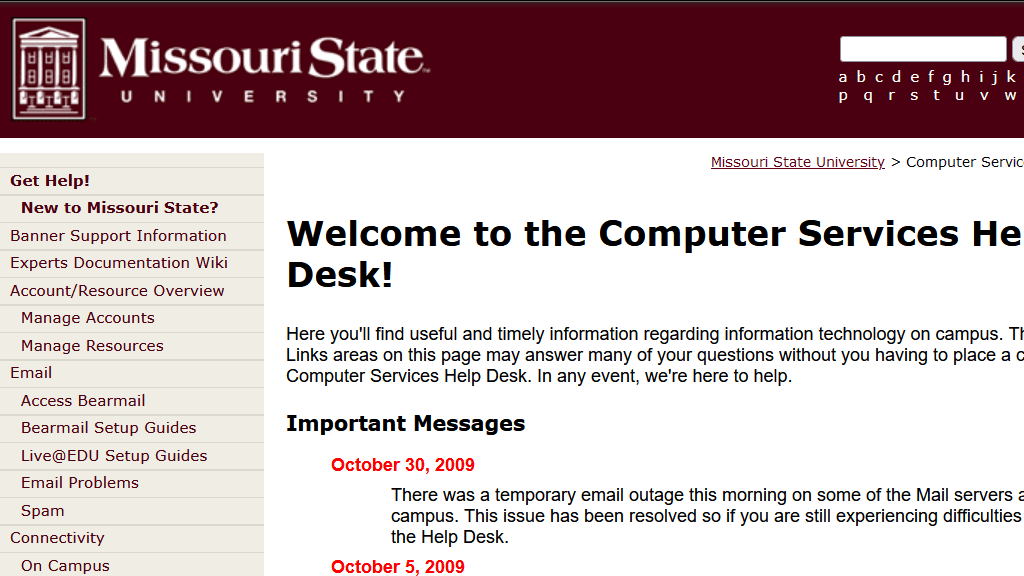
In 2009, I rebuilt Missouri State University's help desk website on WordPress, replacing a static XHTML site that only developers could update. The result: non-technical support staff could publish content independently, the site became the university's third most-viewed web resource, and the project earned international recognition from Microsoft. It was a small project with outsized impact – proof that the right platform choice can transform how an IT team communicates with its campus.
The Problem with a Static XHTML Help Desk Website
The help desk website existed before I got involved with it, but "existed" is generous. It was built as static XHTML Strict files, which meant every update required someone to go in and modify code directly. Nobody on the help desk team besides me knew how to do this.
The consequences went beyond inconvenience. On multiple occasions, staff members tried to update the home page with a simple status update and ended up deleting the entire website. The XHTML files had no guardrails – one misplaced tag or accidental selection, and the whole site was gone. There was no version control, no undo button, no safety net.
Beyond the fragility, there was no automation whatsoever. Posting an outage notification meant manually editing an HTML file. There was no way to publish once and have the information go to multiple places. If you wanted the same update on the website, in email, and on social media, you had to do each one separately – assuming you could even edit the website without breaking it.
This is a pattern I've seen repeatedly in IT organizations: the people closest to the information are furthest from the publishing tools. It creates a bottleneck that makes everyone's job harder – the content creators who can't publish, the web developers who become a bottleneck for routine updates, and the end users who can't find accurate information.
Why WordPress Was the Right CMS for University IT Support
In 2009, WordPress was already established as a blogging platform but was still gaining traction as a general-purpose CMS in higher education. Some IT departments were skeptical – it was seen as "just a blog tool." But for our needs, it was close to ideal.
The help desk team needed to publish structured content: service descriptions, how-to articles, status updates, announcements. WordPress handled all of that out of the box. Its editor was simple enough that staff with no web development background could create and publish pages after minimal training. Categories and tags gave us a taxonomy system. The plugin ecosystem offered functionality we'd otherwise have to build from scratch.
I'm not going to pretend WordPress was a perfect solution. It had (and still has) security considerations that require ongoing attention. The theme and plugin ecosystem can lead to bloat if you're not disciplined. But for a team that needed to go from "can't update our own website" to "publishing independently" in a short timeframe, it was the right tool.
Integrating Email, Twitter, and RSS for Cross-Platform Publishing
The WordPress rebuild wasn't just about the website itself. One of the biggest problems with the old static site was that there was no way to publish once and reach people across multiple channels. I built integrations with email, Twitter, and RSS so that a single blog post – like a status update about an outage – would automatically distribute to every channel where students and staff were already paying attention.
This was 2009, and this kind of integration in higher education IT was still relatively novel. Most university IT departments treated their website as the only channel and expected users to come to them. But students were on Twitter, staff monitored RSS feeds, and everyone checked email. Meeting users where they already were – rather than expecting them to check a help desk website proactively – dramatically increased the reach of every piece of content we published.
The automation mattered because it removed friction. Under the old system, posting a status update meant editing an HTML file (and hoping you didn't break the site), then separately sending an email, then separately posting to social media. Nobody did all of that consistently. With WordPress and the integrations in place, a single publish action reached every channel simultaneously.
Training Non-Technical Help Desk Staff to Publish Web Content
Getting the technology in place was the straightforward part. The harder challenge was cultural: convincing a team of help desk professionals that they should be publishing web content, and giving them the confidence to do it.
Some staff were enthusiastic immediately. Others were hesitant – and understandably so. They'd seen what happened when people tried to update the old XHTML site: the entire website would get deleted. WordPress's editor provided the guardrails the old system lacked, but it took some convincing to get people comfortable that they couldn't accidentally destroy everything.
I addressed this with a combination of training, templates, and editorial guidelines. Training sessions were hands-on and short – nobody needed to sit through a three-hour WordPress course. Templates ensured that common content types (service announcements, how-to guides, status updates) had consistent structure. Editorial guidelines covered voice, formatting, and accessibility basics.
The key insight was that we weren't asking staff to become web designers. We were asking them to share the knowledge they already had in a structured way. The technology just needed to get out of their way, and WordPress did that.
Within a few months, multiple team members were publishing regularly without needing any technical assistance. The bottleneck was gone.
From Afterthought to Third Most-Viewed University Web Resource
The impact surprised everyone, including me. The redesigned help desk website went from a neglected, rarely-visited page to the third most-viewed web resource at Missouri State University. The university homepage was number one. The Computer Services wiki – which I'd originally built for the Banner ERP implementation and then expanded to cover everything IT-related – was number two. The help desk website was number three, ahead of every academic department, financial aid, and everything else on campus. I was pretty proud of that.
That traffic growth wasn't accidental, but it also wasn't the result of an aggressive marketing campaign. It happened because the site finally had fresh, relevant, useful content – and it had that content because the people with the knowledge could finally publish it.
Students searching for password reset instructions found an up-to-date article instead of a broken link. Staff looking for software installation guides found step-by-step walkthroughs. When a campus-wide system went down, the help desk could post a status update in minutes instead of hours.
The traffic numbers validated something I'd believed but couldn't prove before: IT help desk content has enormous demand on a university campus. Thousands of people need tech support information every day. If you make that information findable and current, they'll find it.
International Recognition from Microsoft for IT Support Innovation
The project earned recognition from Microsoft as an example of effective IT communication in higher education. That external validation was gratifying, but more importantly, it gave the help desk team visibility and credibility within the university's administration.
Help desks are often treated as cost centers – necessary but unglamorous. Having an internationally recognized web presence changed how campus leadership thought about the team's role. It wasn't just answering phones and resetting passwords anymore. The help desk was a publishing operation, a communication channel, and a front door for IT services.
That shift in perception had practical benefits: better staffing conversations, more support for future projects, and a stronger voice when IT decisions were being made at the institutional level.
What a Help Desk Website Redesign Teaches About IT Communication
Looking back on this project from the distance of many years, a few lessons stand out.
First, the CMS choice matters enormously. The previous XHTML site wasn't bad because the content was wrong – it was bad because the publishing workflow was broken. Choosing a platform that matched the team's actual skill level transformed the site's usefulness almost overnight.
Second, content freshness drives traffic more than design polish. The WordPress site wasn't the most visually impressive page on the university's web presence. But it was current, accurate, and comprehensive. Users came back because they trusted the information, not because they admired the layout.
Third, automation pays for itself by meeting people where they are. Without the email, Twitter, and RSS integrations, most status updates would never have been seen. With them, we had high levels of visibility and engagement. That was tremendously valuable – to our students, faculty, and staff who always knew what was happening, and to us because it reduced the volume of "is the system down?" calls. The integrations took a few hours to set up and the return on that investment was immediate and ongoing.
Finally, giving subject matter experts the tools to publish directly – without a technical intermediary – is one of the highest-impact changes you can make in any organization's communication strategy. It's not just about speed. It's about removing the gap between knowing something and sharing it.
Frequently Asked Questions
Why choose WordPress over a custom-built solution for a university help desk website?
Time and accessibility. A custom solution would have taken longer to build, required ongoing development support, and likely recreated the same problem – only developers could maintain it. WordPress gave us a proven CMS with an editor simple enough for non-technical staff, a plugin ecosystem for the features we needed, and a community of support resources. For a team that needed to start publishing quickly, it was the practical choice.
How did the help desk website become the university's third most-viewed resource?
Two things working together. First, consistent, relevant content published by the people who knew the subject matter best. Once help desk staff could publish independently, the site went from sparse and outdated to a comprehensive, frequently updated IT knowledge base. Students and staff searching for tech support information found useful answers, bookmarked the site, and returned regularly. Second, good SEO – WordPress had that built in through plugins, which meant our content was discoverable through search from day one. Automated social media distribution also put content in front of people who wouldn't have visited the site directly.
What role did the email, Twitter, and RSS integrations play in the website's success?
They extended the site's reach beyond people who actively visited a help desk URL. Service announcements, outage updates, and new how-to articles automatically distributed to email, Twitter, and RSS feeds where students and staff were already active. This drove traffic back to the website and ensured that time-sensitive information (like system outages) reached people quickly without requiring the team to manually post to multiple platforms.
Related Case Studies
- Sungard Banner ERP Implementation at Missouri State University – A larger-scale project at the same institution where documentation and user support were central to success.
- Enterprise Fleet Management for 6,000 University Computers – Another project that transformed IT operations at Missouri State through better tooling and process design.
- Standardizing University Print Infrastructure for 30% Cost Savings – A different kind of IT standardization challenge at the same university.