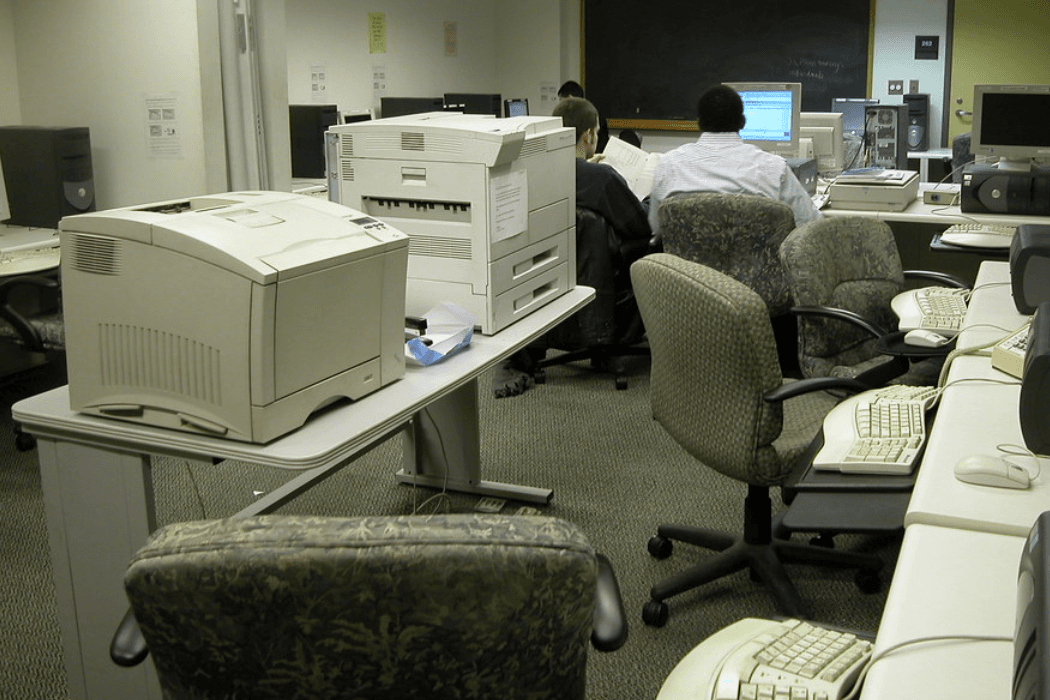
In 2012, I led the standardization of Missouri State University's fragmented printing infrastructure. Before the project, departments purchased their own printers independently – different brands, different models, different supply chains. After: a unified printer model, centralized supply management, and predictive maintenance. The numbers tell the story clearly. Per-page printing costs dropped 30%. Maintenance expenses fell 40%. Printer downtime was eliminated by 80%. This wasn't a technology moonshot. It was a procurement and process problem solved through standardization.
Why University Print Systems Become Fragmented
Understanding how the printing situation got so messy requires understanding how universities operate. Academic departments are semi-autonomous. They have their own budgets, their own purchasing authority, and their own preferences. When a department needs a printer, they buy one. The biology department picks one model. The English department picks another. The registrar's office picks a third.
Multiply this across dozens of departments over a decade, and you end up with a campus full of printers from different manufacturers, requiring different toner cartridges, different maintenance procedures, and different driver configurations. Nobody planned for this – it's just what happens when purchasing decisions are decentralized and there's no institutional standard.
The costs of this fragmentation were significant but largely invisible. No single department saw the full picture. They saw their own printer budget and thought it was reasonable. But at the institutional level, the university was paying premium prices for small toner orders across dozens of product lines, maintaining expertise on a dozen different printer platforms, and losing productivity to printer downtime that a standardized fleet would have prevented.
The True Cost of Decentralized Campus Printer Procurement
Before standardizing, I needed to quantify the problem. I surveyed the university's printing infrastructure – every printer, every building, every department. The findings were worse than expected.
Toner and supply costs varied wildly between departments, even for comparable print volumes. Departments buying from different vendors at different times paid different prices. Nobody was consolidating orders to get volume discounts. Some departments had stockpiled supplies for discontinued printer models – money sitting on shelves, effectively wasted.
Maintenance was equally disorganized. When a printer broke, the response depended on which department owned it, what service agreement (if any) they had, and whether anyone locally knew how to troubleshoot that specific model. Some departments had printers sitting broken for weeks because the repair process was unclear or nobody had budgeted for it.
Downtime hit everyone. A broken printer in a department of 30 people meant those 30 people were walking to another building to print, or not printing at all, or buying a personal inkjet with petty cash. The productivity cost was real even if it never showed up on a budget line.
Selecting a Unified Printer Model for Campus-Wide Deployment
Choosing a single printer model for a university is a political exercise as much as a technical one. Departments have preferences. Some had recently purchased new printers and didn't want to replace them. Others had specific feature requirements – duplex printing, color, high-volume capacity, specific paper sizes.
The selection process evaluated models on total cost of ownership, reliability data, feature coverage, and vendor support quality. We needed a model (or a small family of models from one manufacturer) that could handle the range of use cases across campus: low-volume office printing, high-volume departmental printing, and lab/classroom printing with heavy student use.
I won't pretend the selection process was purely rational. There were compromises. The chosen model wasn't every department's first choice. But it met the core requirements, and the cost savings from standardization were substantial enough to make the case compelling.
The key argument that won over skeptical department heads: this isn't about taking away your printing capability. It's about making printing cheaper, more reliable, and less of a headache for your staff.
Centralizing Toner and Supply Chain Management
Once the printer model was standardized, supply management became dramatically simpler. Instead of ordering toner for 40 different printer models from 15 different vendors, we ordered supplies for one model family from one vendor.
Volume purchasing dropped our per-cartridge costs significantly. Centralized inventory meant we could maintain a campus supply room with the right stock levels – no more departments hoarding supplies, no more emergency orders at retail prices when someone ran out unexpectedly.
The supply chain centralization also enabled predictive ordering. Because we knew how many printers were in service and had historical data on their usage patterns, we could forecast supply needs and order proactively. Running out of toner went from a regular occurrence to a rare exception.
This is one of those improvements that sounds boring but saves real money. Supply chain efficiency isn't exciting. But when you multiply small per-unit savings across thousands of cartridges per year, the numbers add up to the 30% per-page cost reduction we achieved.
Building a Predictive Maintenance Program for Campus Printers
Standardizing on one printer platform made predictive maintenance possible. When you're maintaining 40 different models, every failure is a unique snowflake. When you're maintaining one model, you can track failure patterns, identify common wear points, and replace components before they break.
We established maintenance schedules based on page counts and usage patterns. Printers in high-volume locations got more frequent service. Components with known lifespans (fusers, rollers, pickup assemblies) were replaced proactively on a schedule rather than reactively after failure.
The 40% reduction in maintenance expenses came from two sources: fewer emergency repairs (which are always more expensive than scheduled maintenance) and lower parts costs through bulk purchasing of standardized components. The 80% reduction in printer downtime was a direct result of catching failures before they happened.
I'll note a limitation: predictive maintenance only works if someone actually follows the schedules and tracks the data. We built a tracking system and assigned responsibility, but it required ongoing attention. Automation can help, but printer maintenance still involves a human physically interacting with the machine. There's no remote fix for a paper jam or a worn fuser.
Phased Implementation to Balance Efficiency and Stakeholder Needs
We didn't walk into every department on the same day and swap their printers. The rollout was phased, starting with departments where the case was strongest – those with the oldest equipment, the highest maintenance costs, or the most downtime complaints.
Early adopters served as proof points. When the English department's new standardized printers ran for three months without a single service call, neighboring departments started asking when they'd get theirs. Success builds momentum in ways that mandates don't.
Departments with recently purchased printers were handled on a longer timeline. We didn't force them to discard functioning equipment – that would have been wasteful and politically damaging. Instead, we planned their transition for when their current printers reached end-of-life, and in the meantime brought them into the centralized supply and maintenance programs where possible.
The phased approach took longer than a rip-and-replace strategy would have. But it built goodwill, reduced waste, and gave us time to refine the deployment process based on early experiences. Each wave went smoother than the last because we'd learned from the previous ones.
What Print Standardization Reveals About IT Procurement Strategy
This project looks small compared to managing 6,000 computers or implementing an ERP system. But it taught me principles that apply to much larger procurement challenges.
First, decentralized purchasing almost always costs more at scale than centralized purchasing. Individual departments making individual decisions optimize locally at the expense of institutional efficiency. This isn't the departments' fault – they're making rational decisions with the information and authority they have. The system needs to change, not the people.
Second, standardization has diminishing returns. Going from 40 printer models to one produced enormous savings. But going from, say, three models to one might not be worth the political cost and feature compromises. The sweet spot is usually a small, managed set of standards – not absolute uniformity.
Third, the hardest part of any standardization initiative is stakeholder management. The technical work – selecting models, building supply chains, creating maintenance programs – is straightforward. Convincing autonomous departments to give up purchasing freedom requires a compelling value proposition delivered with patience. Data helps. Early wins help more.
This was logistics and supply chain work, not product management – but it developed skills that have been valuable in other domains. Understanding vendor relationships, total cost of ownership, stakeholder negotiation, and phased rollout planning translates directly to managing products and services later in a career.
Finally, this project reinforced something I'd seen in the fleet management work: institutional IT improvements compound. Standardized printers were easier to integrate with the PaperCut print management system we were deploying through SCCM. Each project made the next one simpler. That compounding effect is the strongest argument for strategic IT planning over ad hoc problem-solving.
Frequently Asked Questions
How did you convince departments to give up their preferred printer brands?
Data and early results. I presented the institutional cost analysis showing what fragmentation actually cost – most department heads didn't realize the overhead they were carrying. Then the first departments to adopt the standardized model became advocates because their printing became cheaper and more reliable. Peer influence was more effective than any top-down mandate.
What happens when the standardized printer model reaches end-of-life?
This is a real consideration with any standardization strategy. We chose a manufacturer with a strong product roadmap and backward-compatible supply chains. When a model is eventually discontinued, the transition to its successor is far simpler than the original fragmented-to-standardized migration, because you're moving from one known platform to one new platform – not from chaos to order.
Can this approach work at smaller institutions or organizations?
Absolutely, and the relative savings can be even larger. Smaller organizations often have the same fragmentation problem but with less purchasing power. Standardizing even a fleet of 50 printers produces meaningful savings in supplies, maintenance, and administrative overhead. The principles – unified model, centralized supplies, predictive maintenance – scale down just as well as they scale up.
Related Case Studies
- Enterprise Fleet Management for 6,000 University Computers – The broader IT fleet management transformation that complemented this print standardization project.
- Redesigning Missouri State's Help Desk Website with WordPress – A different approach to improving IT services through better communication and self-service tools.
- Sungard Banner ERP Implementation at Missouri State University – A campus-wide systems project that similarly required cross-departmental coordination and change management.